What makes a good pfp is that it still says "this is me" after it shrinks to a small circle. Almost nobody sees your profile picture at full size. People see it next to a message, a comment or a name in a member list, often for less than a second, so a good profile picture has to work at that size first.
What Makes a Good Profile Picture?
A good profile picture reads at icon size, keeps its subject inside the circle crop, has one focal point and strong light and dark contrast, and fits the place where you use it. The five checks below use real avatars from our square face icon gallery, so you can see the difference instead of taking it on trust.
Check 1: It reads at icon size
Start with the smallest place the picture will appear. Chat apps and comment threads often show avatars smaller than your fingertip. At that size thin lines vanish, small text turns to noise and fine patterns blur into one color.
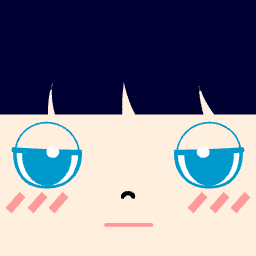 192px48px32px
A quick test: shrink the picture until it is about the size of your thumbnail on screen, then look away and back. If you can still name the two or three things that make it yours, it passes.
Check 2: It survives a circle crop
Most apps show profile pictures in a circle, while the file you upload is a square, so all four corners are cut off. Anything placed there, such as a logo, a small name or a hat brim at the edge, can disappear.
Keep the face and the main detail inside the middle of the square. Square face avatars have an advantage here, because the face already fills the center and the hair frames it.
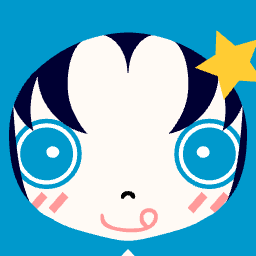 Square fileCircle crop
Check 3: One focal point
A good profile picture has one thing the eye lands on first. In a cartoon avatar that is usually the eyes, a hairstyle with a clear shape or one bold accessory. When three accessories compete, none of them reads at small size.
Pick the one detail you want people to remember. Make it large and give it a color that nothing else in the picture uses. Remove anything that only adds texture.
Check 4: Strong light and dark contrast
Color alone does not separate shapes when a picture is small. Light against dark does. Hair that is close in brightness to the skin, or a background close to the hair, melts into one blob at icon size even if the colors look different at full size.
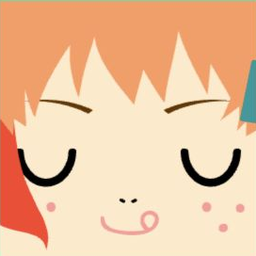 Low contrastHigh contrast
A simple way to test contrast is to view the picture in grayscale. Most phones can do this in their accessibility settings. If the face and hair turn into the same gray, change one of them.
Check 5: It matches where you use it
The same picture can be right on one platform and wrong on another. Think about who sees the picture and what they expect, then pick the style.
Consistency also helps. Using one avatar across your accounts makes you easier to recognize from one app to the next.
What Should My PFP Be?
Pick the kind of picture first, then run the checks. A photo of your face helps on work and dating profiles, where people want to see who they are talking to. A cartoon avatar works well on Discord, games and social apps, where people know you by your handle. A pet, a drawing or a character you like also works, as long as it passes check 1 at icon size.
What is the 2/3 rule for a pfp?
There is no official 2/3 rule. When people mention it for profile pictures, they usually mean that your face, or the main subject, should fill about two-thirds of the frame. That leaves a little space around the edges for the circle crop while keeping the subject large at icon size.
For photos it is a useful starting point. For cartoon avatars like the ones in our Gallery, the face already fills most of the square, so check 1 and check 2 matter more than an exact ratio.
How Do You Make a Good PFP?
- Build or choose the picture at a generous size. A larger original gives each app more to work with when it shrinks the image.
- Keep the face centered and leave the corners free of anything important.
- Choose one focal detail and make it bold.
- Check the picture as a small circle and in grayscale.
- Upload it and look at the result inside the app itself, since every app crops and resizes in its own way.
The Square PFP Maker builds a square face and saves it as a PNG; the checker on the same page then shows it in a circle and shrunk down to 32 pixels. For a softer, cuter look that you can make on a phone, try the cute avatar maker. If the upload comes out soft or fuzzy, see why your Discord PFP is blurry.
FAQ
What size should a pfp be?
Upload a square image that is larger than the size it is shown at. Each platform publishes its own upload limits and they change over time, so check the platform's help page before you rely on a number. For Discord, see Discord avatar size.
Why does my pfp look different on my friend's screen?
Apps show the same picture at different sizes on phones and computers, and some use a dark theme that changes how edges look. Check your picture on a light and a dark background.
What makes a good pfp, in short
What makes a good pfp is the part of the picture that survives when it shrinks. Center it, give it one focal point, check the contrast and preview it as a small circle before you upload. For pfp ideas that already pass these checks, browse the square face pfp gallery.