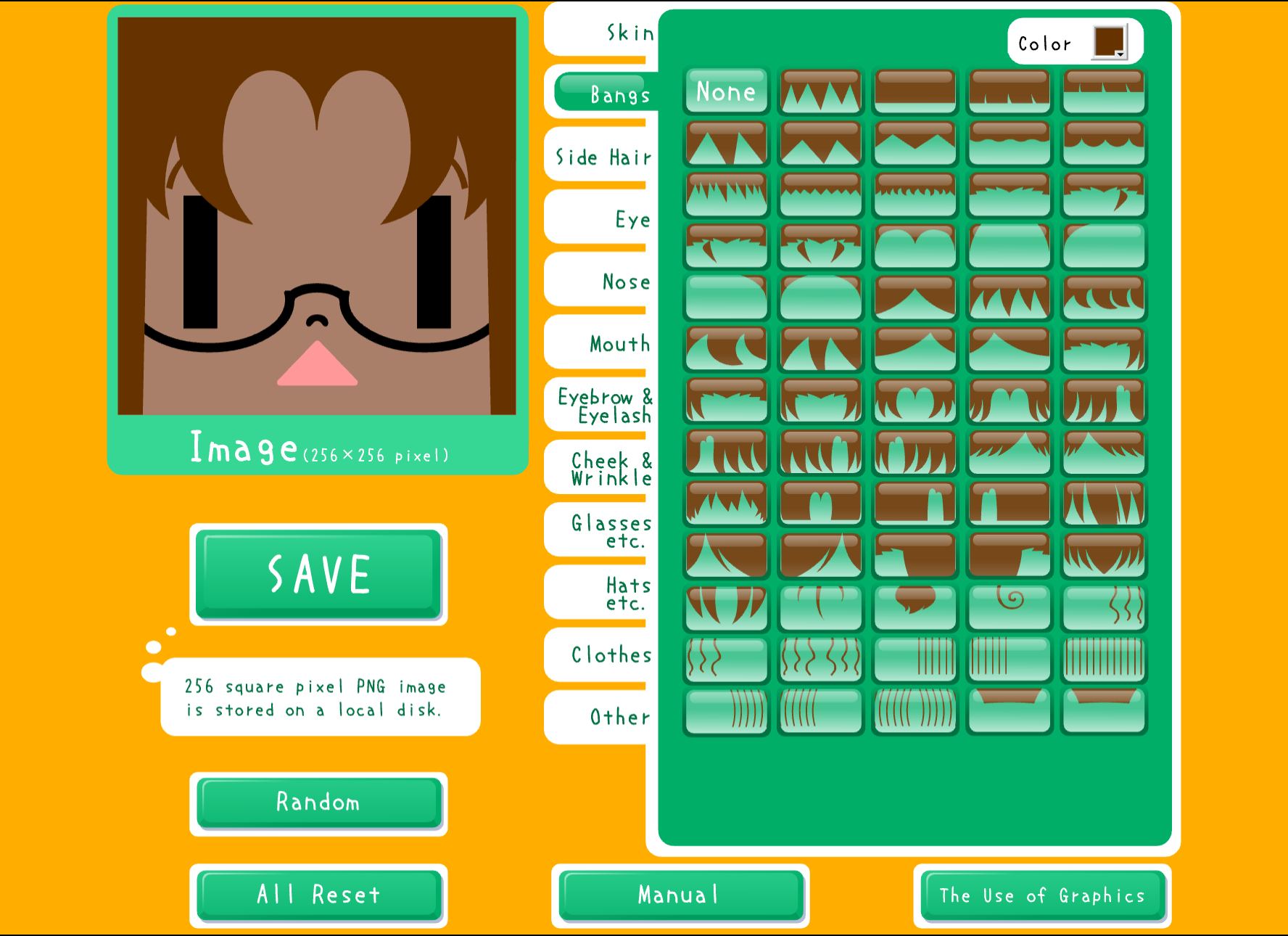
Square Face Icon Generator

Create unique square-shaped icons for social media, gaming, and more. No registration required. Free forever.

Click START to begin inside the game

LOADING...

What is Square Face Icon Generator?

Square Face Icon Generator is a free online tool designed to help you create unique square-shaped profile pictures and icons in minutes. Whether you're looking for a pixel art icon, cartoon-style icon, or minimalist square face design, our generator provides an easy and creative way to make professional-looking icons without any design experience.

Perfect for creating eye-catching profile pictures across all major platforms including Twitter, Facebook, Discord, GitHub, Reddit, and gaming communities. Square icons have become increasingly popular due to their clean, modern aesthetic and versatility across different platforms.

Why Choose Square Icons?

  • Universal Compatibility: Square format works perfectly on every platform, from social media to gaming profiles.
  • Modern Aesthetic: Clean, contemporary look that stands out in crowded social feeds.
  • Professional Appeal: Suitable for both casual and professional use.
  • Efficient Design: Makes the most of available space without awkward cropping.
  • Easy Recognition: Distinctive shape makes your icon instantly recognizable at any size.

Key Features of Our Generator

  • 100% Free Forever: No hidden costs, no premium tiers, no credit card required. Create unlimited icons without paying a penny.
  • No Registration Required: Start creating immediately without providing email, personal information, or creating an account. Your privacy is protected.
  • Instant Download: Save your icon as a high-quality PNG file with transparent background instantly. Perfect for any platform.
  • Multiple Styles Available: Choose from various artistic styles including pixel art, clean layouts, and minimalist designs. New styles added regularly.
  • Easy to Use Interface: Intuitive controls suitable for all skill levels. No design experience needed - if you can click, you can create.
  • No Watermarks: Your creations are completely yours. Download and use anywhere without any branding or watermarks.
  • Mobile-Friendly: Create icons on any device - desktop, tablet, or smartphone. Fully responsive design ensures a great experience everywhere.

Perfect for Every Use Case

Whether you're a gamer looking for a unique gaming icon, a content creator building your brand, a professional seeking a distinctive profile picture, or simply someone who wants a fun representation online, our Square Face Icon Generator provides endless possibilities for creativity.

Join thousands of users who have already created their perfect square face icons. Start expressing your unique personality online today - it's free, fast, and fun.

How to Create Your Square Face Icon

Creating your perfect square face icon is easy and takes just a few minutes. Follow these simple steps to design your unique icon:

1

Step 1: Choose Your Style

Browse through our collection of icon generators and select the style that best matches your needs. Whether you prefer retro pixel art reminiscent of classic video games or clean minimalist designs for a professional look, we have options for everyone.

  • Pixel Art: Retro 8-bit gaming aesthetic
  • Square Icons: Clean and versatile
  • Oval Icons: Softer, rounded look
  • Minimalist: Simple, modern, and professional
2

Step 2: Customize Your Icon

Use the interactive creator to design your unique icon. Each generator offers a variety of customization options to make your icon truly one-of-a-kind.

  • Facial Features: Choose from various eye styles, nose shapes, and mouth expressions.
  • Hairstyles & Colors: Select from dozens of hairstyles and color options.
  • Accessories: Add personality with glasses, hats, earrings, and other fun accessories.
  • Background: Pick the perfect background color or pattern.
  • Clothing & Outfits: Dress your icon in different styles and colors.
3

Step 3: Preview and Adjust

Review your creation in real-time as you make changes. The preview updates instantly so you can see exactly how your icon will look.

  • Try different color combinations.
  • Adjust individual features.
  • Test various accessories.
  • Experiment with backgrounds.
4

Step 4: Download and Share

Once you're happy with your icon, downloading is simple. Click the Download button, save your PNG file with a transparent background, and upload it to your favorite platforms.

  • Save multiple versions with different expressions or styles.
  • Create seasonal icons for holidays or special events.
  • Submit to the gallery once submissions open.
  • Come back anytime to create new icons - it's always free.

Frequently Asked Questions