Discord
Discord's official profile help lists PNG and GIF as supported profile avatar types. Open Profiles, choose Change Avatar, then Apply and Save.
Discord profile helpUse the current Ruffle editor to build a square profile picture, then check a PNG locally at square, circular, and small preview sizes.
Use a PNG from your device to see the square crop, circular crop, and small-size previews in one place.
Local preview only. The selected image stays in this browser. This page does not upload it, save it to an account, or persist it on the server.
Using a first-party Square Face output generated with the site's Ruffle tool
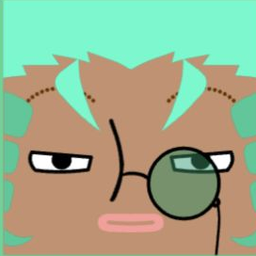
Use these previews to spot details that disappear when an avatar is small. Platform limits can change, so confirm the final uploader requirements before you post.
Discord's official profile help lists PNG and GIF as supported profile avatar types. Open Profiles, choose Change Avatar, then Apply and Save.
Discord profile helpX's official upload help lists PNG as a supported profile photo format, recommends 400 x 400 pixels, and sets a 2 MB maximum file size.
X upload helpOfficial platform guidance checked 2026-08-02.
A pfp is a profile picture displayed beside an account name. This page combines the existing Square Face SWF with a separate local PNG checker, so you can build an image and inspect how a file looks under square, circular, 128px, 64px, and 32px previews.
The editor is a third-party Flash-era SWF presented through Ruffle, an independent open-source compatibility layer. This site does not claim ownership of the SWF or its included graphics. The available parts and controls are the ones shown inside the running editor.
The preview checker does not upload the PNG you choose. It creates a temporary browser URL for the local file and replaces that URL when you select another file. Platform crop and file rules can change, so the final upload screen remains the deciding check.
The editor and local checker do not ask you to create a site account
The checker links to current Discord and X upload guidance
Compare the selected PNG at 128px, 64px, and 32px
See which corner details disappear under a circular crop
Choose from the parts and settings shown by the running SWF
The separate checker previews a readable PNG without uploading it
Discord's current profile help documents PNG and GIF avatar support. Use the local small-size preview first, then confirm the crop and result in Discord's current profile editor.
Social services may display a square upload through a circular or rounded mask. Keep important features near the center and inspect each service's current crop screen.
Gaming profiles often show images in compact lists. Check the saved file at 32px and in the destination's real profile flow before relying on small accessories.
A group can reuse a shared color or outline while keeping each face distinct. Verify that each image remains distinguishable at the list size the group actually uses.
Channel avatars and social profile images can use different crops and sizes. Test each destination instead of assuming one preview proves every placement.
The editor offers a fixed set of visible hair, eye, color, and accessory choices. It does not provide a one-click anime preset or generate new artwork from text.
Click START to open the editor in your browser
Set the base of your square pfp before the details
Build out every feature of your square pfp
Make sure the pfp still reads when it is small
Use SAVE, then open the result before uploading it
PFP is shorthand for profile picture. A square pfp uses a square composition even when a service later displays the uploaded file through a circular mask. This page lets you use the existing editor and inspect a local PNG before uploading it elsewhere.
Select START, use the controls visible in the editor, then use its SAVE control. Open the saved file yourself before choosing it in the local checker.
The current page does not provide a site account or registration form. Third-party platform accounts and their rules are separate.
Discord's current profile help documents PNG and GIF support. Confirm that the saved file opens, preview it here, then use Discord's current crop and save flow.
This page presents a fixed-part SWF editor. It does not host creator templates like Picrew and it does not generate new art from a prompt. Use only the parts and controls visible in the editor.
There is no one-click anime preset. You can inspect the visible hair, eye, color, and accessory options and decide whether they fit the style you need.
Compatibility is not guaranteed. The SWF runs through Ruffle, and controls may behave differently by browser or input method. If it is not usable, try a current desktop browser or the separate HTML5 Square Face Editor.
Use the editor's SAVE control and inspect the resulting file. The local checker accepts readable PNG files only; it does not prove that every platform will accept the file.
Choose a gaming avatar by silhouette, crop safety, and small-size recognition instead of extra detail.
Read →Compare a real avatar at four sizes and circle crops, then simplify anything that disappears.
Read →Check current official profile photo guidance for X, LinkedIn, YouTube, Discord, TikTok, and WeChat.
Read →Open the current editor, save a result, and check the PNG locally before using a platform uploader.
Start Creating