8 min read

Gaming Avatar Picking Guide: Choose a Gaming Avatar People Remember

gaming avatar made simple: pick a style by game/community, then generate a clear icon fast.

A gaming avatar is your tiny identity badge. People notice it before they read your name. Pick the right style, and you look "like you belong." Whether you're grinding ranked matches, streaming to thousands, or just vibing in Discord servers, your avatar speaks before you type a single word.

Step 1: where do you show up most?

  • Discord servers: fun, weird, personal works well
  • Twitch streaming: must be recognizable from far away
  • Steam: match your main game vibe
  • Esports team: clean, consistent, professional

Different platforms have different cultures. A meme avatar that kills on Discord might look unprofessional on a competitive team roster. Know your audience.

4 common gaming avatar styles

1) Pixel / Retro

Best for: indie games, nostalgia lovers Feels like: classic, cute, clever

Pixel art avatars signal you appreciate gaming history. They work especially well in communities around retro games, speedrunning, and indie titles. The blocky aesthetic reads clearly even at tiny sizes.

2) Cartoon

Best for: casual/social games Feels like: friendly, easy to approach

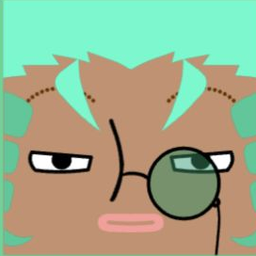
Cartoon-style avatars are versatile and welcoming. They're perfect for social gaming, streaming with a chill vibe, or any community where you want to seem approachable rather than intimidating.

3) Tech / Cyber

Best for: FPS, competitive, sci-fi Feels like: sharp, strong, fast

Neon colors, geometric shapes, futuristic elements. This style dominates competitive gaming scenes, especially in FPS and tactical shooters. It signals you're serious about performance.

4) Cute / Anime

Best for: anime fans, chill communities Feels like: soft, fun, welcoming

Anime-inspired avatars are huge in gaming. From VTuber communities to gacha games, this style connects you instantly with like-minded players.

Platform-Specific Avatar Sizes (2026 Guide)

Getting the technical details right prevents your avatar from looking blurry or weirdly cropped.

| Platform | Recommended Upload | Display Size | Notes | |----------|-------------------|--------------|-------| | Discord | 512×512 | 128×128 | Supports GIF for Nitro users | | Steam | 184×184 | 64×64 | JPG or PNG, no transparency | | Twitch | 256×256 | 70×70 | Keep it simple, viewers see it small | | Xbox | 1080×1080 | varies | High-res for profile cards | | PlayStation | 440×440 | varies | Square format required | | Epic Games | 256×256 | 64×64 | Used across Fortnite, etc. |

Pro tip: Create your avatar at 512×512 minimum. This gives you flexibility to use it everywhere without quality loss.

Common Avatar Mistakes to Avoid

Even great designs fail if you make these errors:

1) Too much detail

Your avatar displays at 64×64 or even 32×32 pixels in many contexts. That intricate design becomes an unreadable blob. Simplify.

2) Text in the avatar

Words become illegible when shrunk. If you must include text, limit it to 1-2 large letters maximum.

3) Busy backgrounds

Complex backgrounds compete with your main subject. Use solid colors or simple gradients instead.

4) Low contrast

Your avatar might appear on light or dark backgrounds. Test it on both. If it disappears or looks muddy, increase contrast.

5) Copying others exactly

Using someone else's avatar (or one too similar) causes confusion and can seem disrespectful. Make it your own.

3 quick questions (the fastest way to choose)

  1. Your main games: competitive / casual / anime / retro?
  2. Your vibe: strong / friendly / mysterious / cute?
  3. Your avatar should be: face / logo / character / symbol?

Match your answers to the 4 styles above. Done.

Create it fast with our generators

Site: squarefaceicongenerator.app

  • Pixel Art Icon Generator for retro/pixel fans
  • Square Face Icon Generator for clean, all-platform avatars
  • Switch styles quickly for different communities

Tip: export 512×512 so it stays sharp everywhere.

Building Your Gaming Identity

Your avatar is just one piece of your gaming identity. Consider these elements working together:

  • Avatar: Your visual identifier
  • Username: Your name across platforms
  • Color scheme: Consistent colors help recognition
  • Bio/About: Brief text reinforcing your vibe

When these align, people remember you. Consistency builds recognition faster than any single clever design choice.

Competitors (quick note)

  • Steam avatar: easy, but often looks generic
  • Discord Nitro avatars: fun, but not required
  • AI generators: quick but everyone's using them
  • Better move: make your own base avatar first, then remix styles

FAQ

Q: What size should my gaming avatar be? A: Create at 512×512 pixels minimum. This works across all major platforms and scales down cleanly.

Q: Can I use the same avatar everywhere? A: Yes, and you should for brand consistency. Just verify it looks good at different display sizes.

Q: Should my avatar match my username? A: Not required, but helpful. If your name is "PixelWolf," a wolf-themed pixel avatar reinforces your identity.

Q: How often should I change my avatar? A: Rarely, if building recognition matters. Frequent changes confuse people. Seasonal variations (holiday versions) can work if the core design stays recognizable.

Q: GIF or static avatar? A: Static is safer—it works everywhere. GIFs are attention-grabbing but can be distracting and aren't supported on all platforms.

🎨

Ready to create your avatar?

Turn your ideas into unique cartoon icons in minutes.

Start Creating Your Avatar →

Related Articles

View All Articles →