Paper Cube turns a square face into a printable cube net. The digital generator and save path have been checked in the current site. Physical print, cut, and fold results still depend on the printer, paper, scale settings, and assembly.
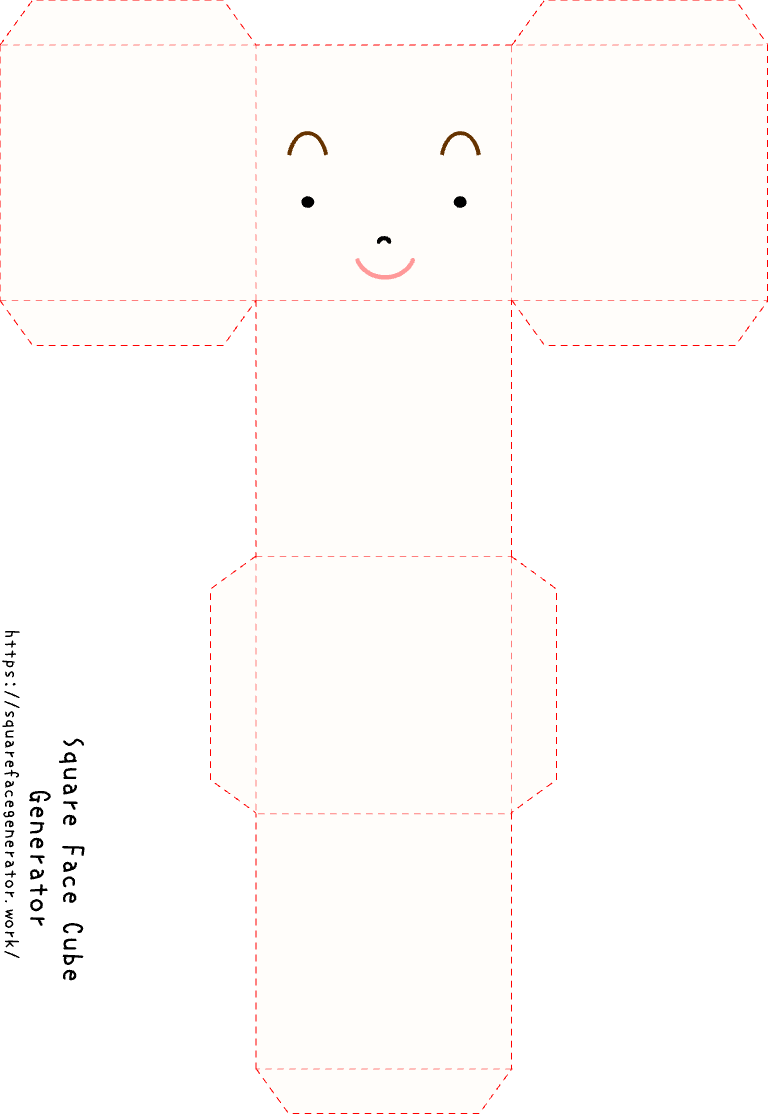
Make the digital cube sheet
Open Paper Cube, press START, and choose the face, hair, expression, and colors. Keep important facial features away from fold lines. Save the generated sheet and open it before printing.
Print one test copy
Use a single test sheet before making more copies:
- Print at 100% or Actual Size.
- Turn off Fit to Page unless the printer clips the sheet.
- Confirm that the full outline and tabs are visible.
- Measure one panel to make sure scaling did not change unexpectedly.
Printer dialogs vary, so the preview in your own print dialog is the final source of truth.
Cut and fold carefully
Cut only along the outside solid outline. Keep every glue tab attached. Score or crease the fold lines with a ruler before folding, then dry-fit the cube before applying glue.
Use scissors or craft tools only in a suitable workspace. The site does not verify a physical assembly for you.
Physical acceptance checklist
The paper path is complete only after a person confirms all of these with the intended printer and paper:
- The whole net prints without clipping.
- All six faces and tabs are present.
- Fold lines align at the cube edges.
- Tabs close the cube without covering the face.
- The finished cube stands without opening.
Until that physical check is completed, treat the saved sheet as a digital preview, not a guaranteed finished model.