7 min read

Oval Avatar Generator: Make a Friendly Oval Profile Picture with Oval Face Generator

oval avatar generator: make a friendly oval avatar in 3 minutes with Oval Face Generator, free PNG, no watermark.

If you want people to think "this person feels easy to talk to," your profile picture matters. An oval avatar generator helps you create a softer, kinder-looking avatar—no sharp corners, no harsh vibe. In this guide, we'll use Oval Face Generator and build an oval avatar step by step, like LEGO.

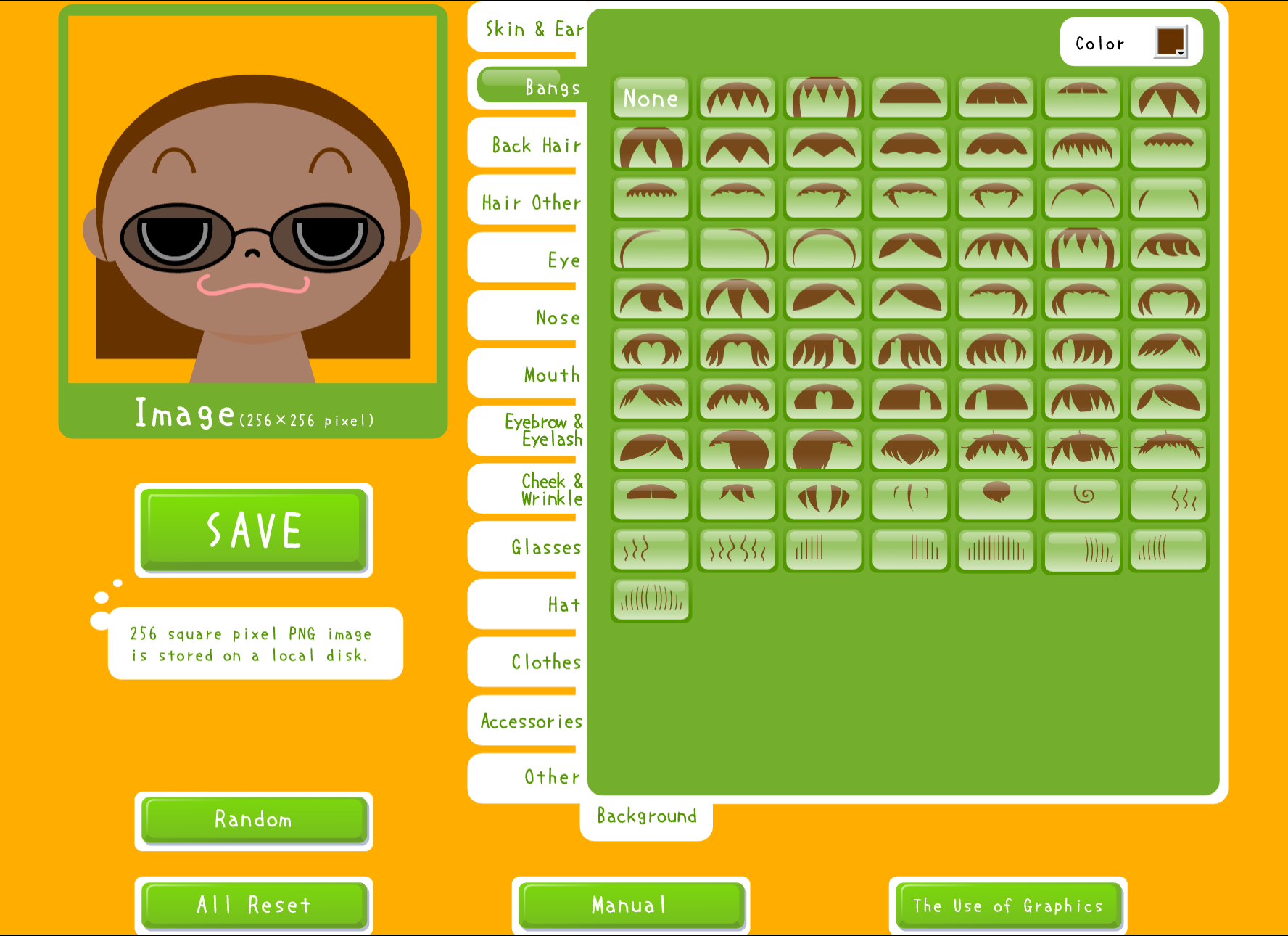
Oval Face Generator interface

Why oval avatars feel more friendly

Oval shapes look smooth. Smooth often feels calm. That's why oval avatars work great for:

  • Bloggers & creators (more trust at first glance)
  • Community managers (more approachable)
  • Support teams (looks patient and safe)
  • Everyday social users (a clean, modern profile look)

The psychology is simple: rounded shapes feel safer than sharp ones. Our brains associate sharp edges with danger (think thorns, knives, warning signs). Soft curves signal "no threat here."

Bonus: you can download a PNG and use it anywhere. The tool is designed to keep things simple: free and no watermark.

Oval vs square avatars (super simple)

  • Oval avatar: soft, warm, more "human"
  • Square avatar: sharper, more "bold" or "business-like"

If your account depends on conversation (blog, community, customer support), oval is usually the safer choice. If you want to project authority or edginess, square might work better.

Neither is objectively "better"—it depends on the impression you want to make.

Step-by-step: build your oval avatar

Step 1: Open the tool Official page: Oval Face Generator

Step 2: Pick a base face Don't overthink. Pick one that feels close enough. You can always adjust later.

Step 3: Adjust the face parts (eyes / nose / mouth) Tiny tip: slightly bigger eyes often look more friendly. Humans are drawn to eyes—they're the first thing we look at in any face.

Step 4: Choose an expression A small smile is a great default. Remember: avatars are small thumbnails. Subtle expressions work better than exaggerated ones.

Step 5: Add hair and accessories Glasses, a hat, earrings—sure. Just keep the face clear and recognizable.

Step 6: Set the background Soft warm colors (light beige, pale yellow, gentle pink) feel welcoming. Avoid busy patterns that compete with your face.

Step 7: Download and use Download the PNG and set it on your blog, Discord, forums, or work tools. One avatar works everywhere.

Best use cases (real life)

  • Social profile photos (easy to recognize)
  • Blog author avatars (builds trust with readers)
  • Customer support team avatars (reduces distance, feels more human)
  • Communities and forums (encourages replies, less "cold" vibe)
  • Newsletter author images (adds personality to emails)
  • Podcast host avatars (helps listeners connect a face to the voice)

Common Mistakes to Avoid

1) Making it too complex

Your avatar displays tiny in most contexts. Too many accessories, patterns, or details become visual noise. Keep it simple.

2) Forgetting about dark mode

Many apps now have dark themes. If your avatar has a white background, it might look harsh in dark mode. Consider transparent backgrounds or test on both light and dark.

3) Choosing colors that clash

Your avatar appears next to your username, inside interface elements, on various background colors. Stick to colors that work universally rather than trendy combinations that might clash.

4) Ignoring the thumbnail test

Shrink your avatar to 32×32 pixels. Can you still tell what it is? If not, simplify until you can.

5) Copying someone else's style exactly

It's fine to be inspired, but if your avatar looks too similar to someone else's, you lose uniqueness and might cause confusion.

3 tiny design tips (big difference)

  1. Leave space: don't fill every corner with items. White space makes the important parts stand out.
  2. Make the emotion visible: avatars are usually small. A clear expression reads better than a neutral face.
  3. Don't push hair to the edge: it can look crowded and gets cropped on platforms that use circle crops.

Quick competitor comparison: Avatoon vs CartoonMe/ToonMe

| Tool | Feels like | Best for | If you care about | |---|---|---|---| | Oval Face Generator | you "hand-build" an oval avatar | bloggers, support, communities | fast, clean, free PNG | | Avatoon | outfit + character world | people who love customization | lots of clothes/items | | CartoonMe/ToonMe | one-tap photo-to-cartoon | "do it for me" users | filters & instant styles |

Each tool serves different needs. Oval Face Generator is fastest when you want a clean, friendly avatar without uploading photos or spending time on outfit selection.

When to Use a Real Photo Instead

Oval avatars aren't always the right choice:

  • LinkedIn and professional networking: Real photos often perform better for trust and recognition
  • Dating apps: Obviously, real photos are expected
  • Situations requiring verification: Some contexts need proof you're a real person

For everything else—gaming, creative communities, blogs, casual social media—illustrated avatars work great and often feel more approachable than formal photos.

FAQ

Do I need to sign up? Usually no. You can start right away without creating an account.

Will the download have a watermark? The goal is a clean result with no watermark. Your avatar is yours to use.

Can I use it for my brand or business profile? Most people do. If you have strict commercial rules, check the site's terms to be safe.

What file format do I get? PNG with transparency support. This works everywhere and keeps edges clean.

Can I edit my avatar later? Yes, just return to the tool and recreate it. Consider saving screenshots of your settings if you want to make minor tweaks later.

How do I make my avatar unique? Combine unusual features: unexpected hair color, distinctive accessories, unique background color. Small details add up to something memorable.

The fastest "safe recipe"

  • Oval face + small smile
  • Soft warm background
  • 1–2 accessories max
  • Clear, visible eyes

That's it. Clean, friendly, and easy to read on small screens.

Try it now

Want a warmer first impression? Make your oval avatar here: Oval Face Generator

🎨

Ready to create your avatar?

Turn your ideas into unique cartoon icons in minutes.

Start Creating Your Avatar →

Related Articles

View All Articles →